
Description
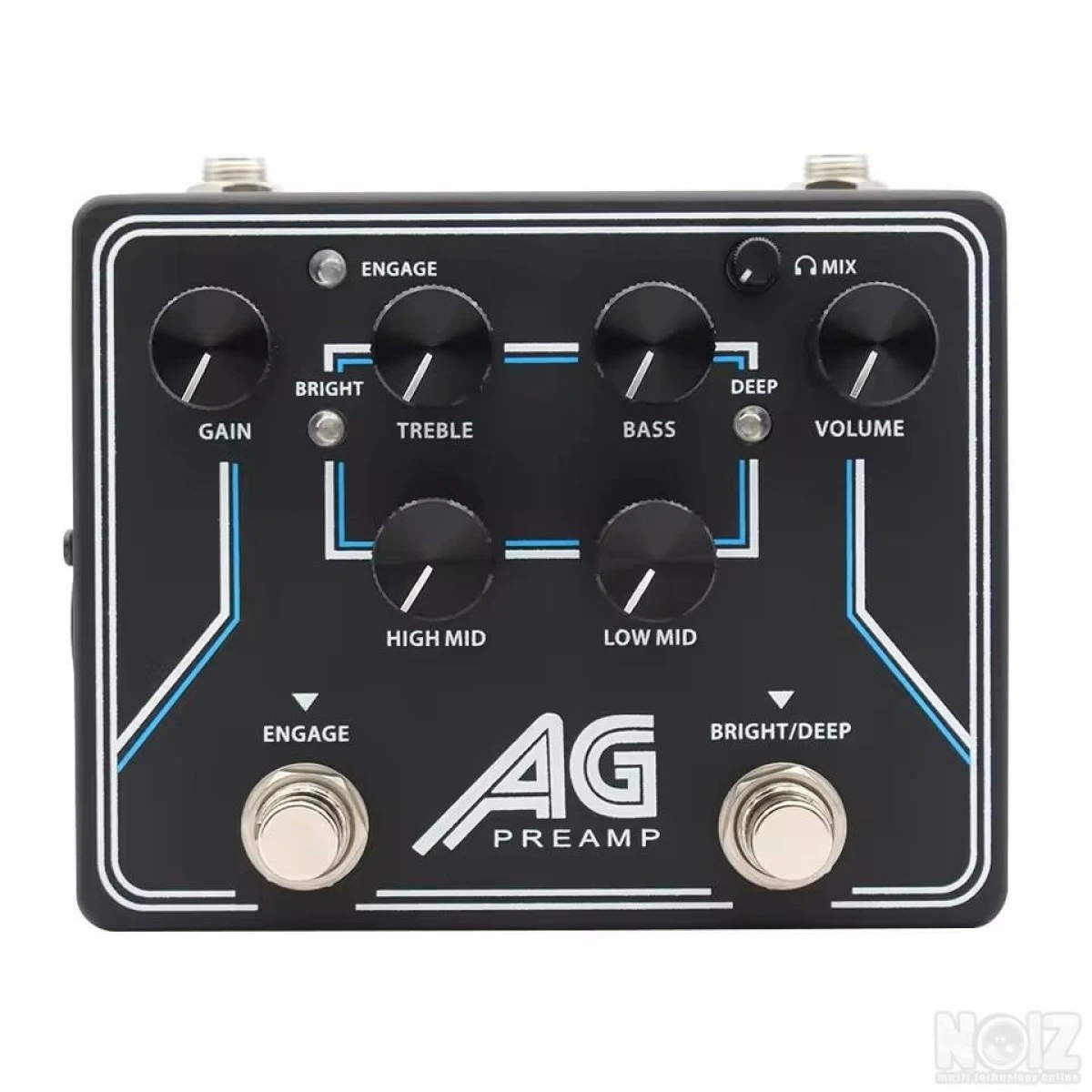
Σε αριστη κατασταση κλωνος της νεας προενισχυσης της Aguilar για μπασο
• Analog preamp circuit inspired from the AG 700 amplifier
• 4-band EQ with treble, bass, low midrange, and high midrange controls
• Foot-switchable, broadband “Bright” and “Deep” EQ controls
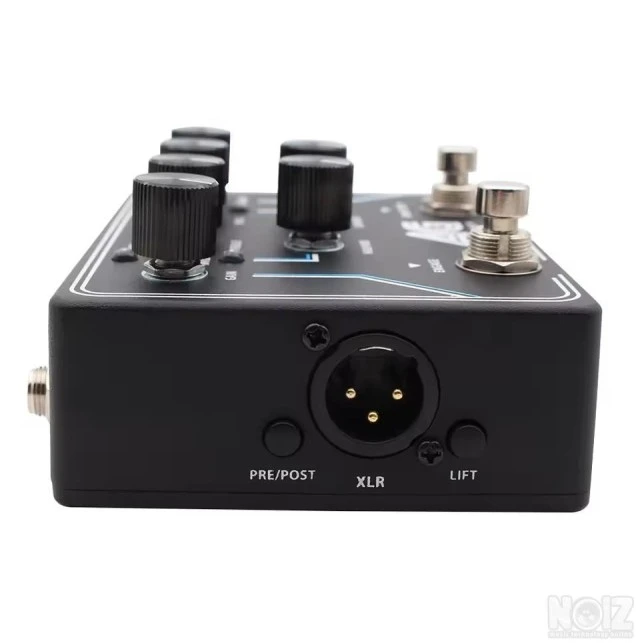
• DI out with pre/post and ground lift controls
• 1/8” aux-in and 1/8” headphone out for silent practice
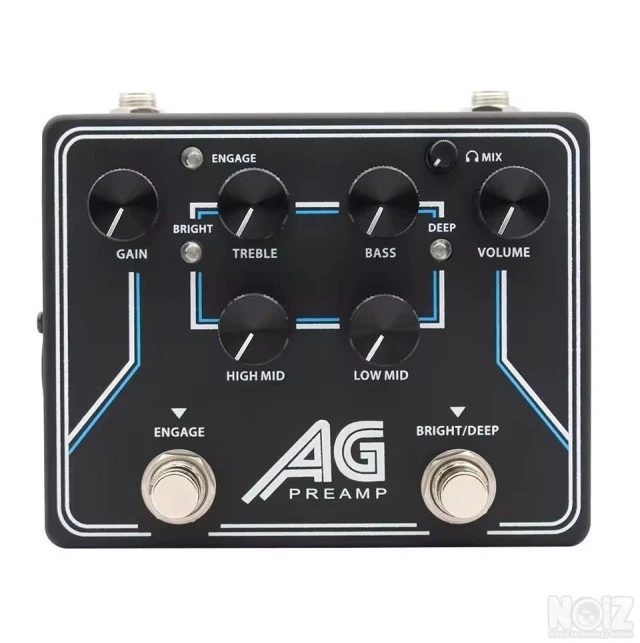
Gain - Controls input sensitivity level
Treble - +/- 14 dB @ 4 kHz
Bass - +/- 17 dB @ 40 Hz
High Mid - +/- 14dB @ 800 Hz
Low Mid - +/- 15 dB @ 300 Hz
Volume - Controls output level
Engage - Toggles between on/bypass (blue LED indicates on)
Bright/Deep - Toggles through broadband “Deep”, “Bright”, or “Deep + Bright” (blue LED indicates on) The
frequencies for the boosts are:
Deep: +6 dB 3 kHz, shelving
Headphone Mix - Controls mix of bass signal and aux-in in headphones
B. Top Side Panel:
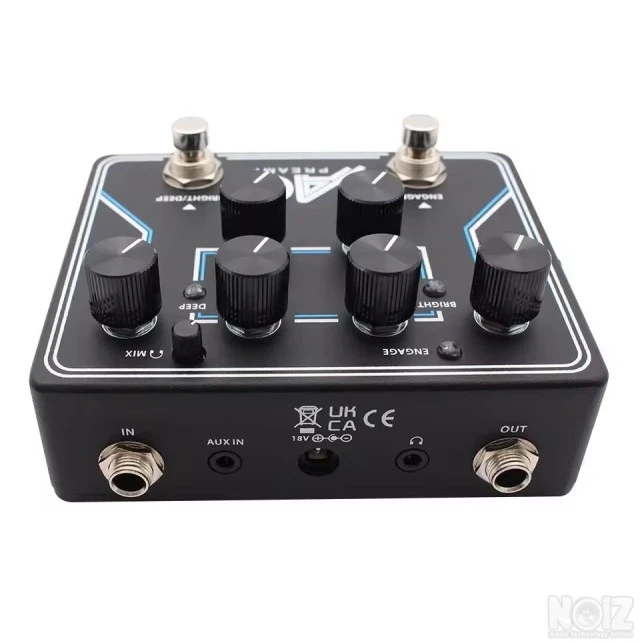
In: 1/4” input
Aux In: 1/8” aux input for music device
Out: 1/4” output
Headphones Out: 1/8” headphones output
DC IN: 18v. This is a standard 2.1mm DC jack. The center terminal polarity is negative.
C. Left Side Panel:
DI Out: XLR balanced DI out
Pre/Post Control:
Pre: Your signal goes to the D.I. XLR output before your Gain and EQ settings
Post: Gain, EQ, and Master settings will be sent to the D.I. XLR output jack.
Ground Lift Control: If there is a hum when using the D.I, there may be a ground loop. In many cases,
pushing in the Ground/Lift button can fix this problem.
D. Specifications:
Current consumption:............................. 36 mA
Input impedance: ..........................................1mega Ohm
Output impedance: .........................................1k
E. Headphone out:
The AG Preamp features a headphone out for silent practice. Use the Aux-In 1/8” for connecting your
laptop, phone, or audio source and the Headphone Out 1/8” out for your headphones. To adjust the
overall headphone volume, use the main Volume control. To adjust the balance of
• Analog preamp circuit inspired from the AG 700 amplifier
• 4-band EQ with treble, bass, low midrange, and high midrange controls
• Foot-switchable, broadband “Bright” and “Deep” EQ controls
• DI out with pre/post and ground lift controls
• 1/8” aux-in and 1/8” headphone out for silent practice
Gain - Controls input sensitivity level
Treble - +/- 14 dB @ 4 kHz
Bass - +/- 17 dB @ 40 Hz
High Mid - +/- 14dB @ 800 Hz
Low Mid - +/- 15 dB @ 300 Hz
Volume - Controls output level
Engage - Toggles between on/bypass (blue LED indicates on)
Bright/Deep - Toggles through broadband “Deep”, “Bright”, or “Deep + Bright” (blue LED indicates on) The
frequencies for the boosts are:
Deep: +6 dB 3 kHz, shelving
Headphone Mix - Controls mix of bass signal and aux-in in headphones
B. Top Side Panel:
In: 1/4” input
Aux In: 1/8” aux input for music device
Out: 1/4” output
Headphones Out: 1/8” headphones output
DC IN: 18v. This is a standard 2.1mm DC jack. The center terminal polarity is negative.
C. Left Side Panel:
DI Out: XLR balanced DI out
Pre/Post Control:
Pre: Your signal goes to the D.I. XLR output before your Gain and EQ settings
Post: Gain, EQ, and Master settings will be sent to the D.I. XLR output jack.
Ground Lift Control: If there is a hum when using the D.I, there may be a ground loop. In many cases,
pushing in the Ground/Lift button can fix this problem.
D. Specifications:
Current consumption:............................. 36 mA
Input impedance: ..........................................1mega Ohm
Output impedance: .........................................1k
E. Headphone out:
The AG Preamp features a headphone out for silent practice. Use the Aux-In 1/8” for connecting your
laptop, phone, or audio source and the Headphone Out 1/8” out for your headphones. To adjust the
overall headphone volume, use the main Volume control. To adjust the balance of
Specs
Pedals Categories
- Amp modeling
- EQ
- Flanger
- Fuzz
- Guitar synths
- Loop & samplers
- Multi-effect
- Noise generators
- Gates & noise reduction
- Octave and pitch
- Overdrive & boost
- Bass pedals
- Pedalboards & power supplies
- Phase shifters
- Preamps
- Reverb
- Ring modulators
- Tremolo
- Tuning
- Vocal pedals
- Wahs & filters
- Other
- Buffer
- Cabinet simulators
- Chorus & vibrato
- Compression & sustain
- Controllers, volume & expression
- Delay
- Distortion
Reference Number
NOIZ614128
Accept exchange
No