



€ 60
Skick
Used - Mint
Land
Greece
Stat/Region
Central Macedonia
Stad
Thessaloniki

Reference Number
NOIZ526947
Accept exchange
Nej
Beskrivning
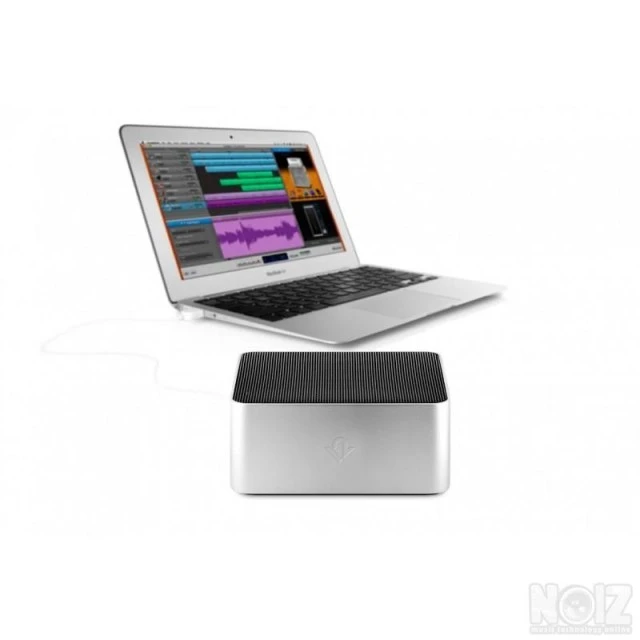
TwelveSouth BassJump 2 Portable SubWoofer For MacBook & MackBook Pro
ΣΑΝ ΚΑΙΝΟΥΡΓΙΟ
- BassJump 2 makes the great sounding MacBook Pro even better. But the sound improvement BassJump adds to MacBook Air is truly mind-blowing.
- Create a hotel room sound-system, boost your next Keynote soundtrack or create a movie theater right in your bed with your MacBook and BassJump.
- At the office, it’s an elegant, simple way to improve the sound of your MacBook without cluttering up your workspace with clunky replacement speakers and cables.
FEATURES:
- USB powered subwoofer designed exclusively for MacBook and MacBook Pro.
- Dramatically improves the sound performance of your MacBook speakers.
- One USB connection provides both power and digital audio to BassJump.
- MacBook Pro (13, 15 or 17-inch), MacBook (black, white or aluminum), MacBook Air, iMac Apple Cinema Display Apple Thunderbolt Display.
SPECIFCATIONS:
- Drive Unit: 77mm subwoofer speaker cone
- Frequency range: -6dB at 50Hz-20kHz
- Signal-to-noise ratio: 80dB
- Connection: USB minijack
- BassJump Software: Software available at http://twelvesouth.com/bassjump
- Minimum System Requirements: Mac OS 10.6 or later
- BassJump Settings: Default, Pop, Rock, R&B, Classical, Custom
- BassJump Volume: 0 to 100% relative to System Volume (DSP limited to max clipping threshold)
- Crossover Frequency Range: 100Hz to 300Hz
SOFTWARE DOWNLOADS
https://www.twelvesouth.com/pages/bassjump-software-download
ΣΑΝ ΚΑΙΝΟΥΡΓΙΟ
- BassJump 2 makes the great sounding MacBook Pro even better. But the sound improvement BassJump adds to MacBook Air is truly mind-blowing.
- Create a hotel room sound-system, boost your next Keynote soundtrack or create a movie theater right in your bed with your MacBook and BassJump.
- At the office, it’s an elegant, simple way to improve the sound of your MacBook without cluttering up your workspace with clunky replacement speakers and cables.
FEATURES:
- USB powered subwoofer designed exclusively for MacBook and MacBook Pro.
- Dramatically improves the sound performance of your MacBook speakers.
- One USB connection provides both power and digital audio to BassJump.
- MacBook Pro (13, 15 or 17-inch), MacBook (black, white or aluminum), MacBook Air, iMac Apple Cinema Display Apple Thunderbolt Display.
SPECIFCATIONS:
- Drive Unit: 77mm subwoofer speaker cone
- Frequency range: -6dB at 50Hz-20kHz
- Signal-to-noise ratio: 80dB
- Connection: USB minijack
- BassJump Software: Software available at http://twelvesouth.com/bassjump
- Minimum System Requirements: Mac OS 10.6 or later
- BassJump Settings: Default, Pop, Rock, R&B, Classical, Custom
- BassJump Volume: 0 to 100% relative to System Volume (DSP limited to max clipping threshold)
- Crossover Frequency Range: 100Hz to 300Hz
SOFTWARE DOWNLOADS
https://www.twelvesouth.com/pages/bassjump-software-download
- 1113 Utsikt
- Postat: för 3 år sedan
- Report Listing Cancel Report