
Description
PRESONUS Firestudio Lightpipe Audio Interface
ΜΟΝΟ ΑΘΗΝΑ
ΧΕΡΙ ΜΕ ΧΕΡΙ
ΟΧΙ ΠΑΖΑΡΙΑ
Η ΤΙΜΗ ΕΙΝΑΙ ΤΕΛΙΚΗ ΧΩΡΙΣ ΦΠΑ
Need to record 32 inputs? Directly connect the FireStudio Lightpipe to a digital mixer via ADAT lightpipe to easily add recording to live performances. Or, add up to four DigiMax’s to the FireStudio Lightpipe for a 32-input recording system with 32 class A XMAX microphone preamplifiers all in five rack spaces!
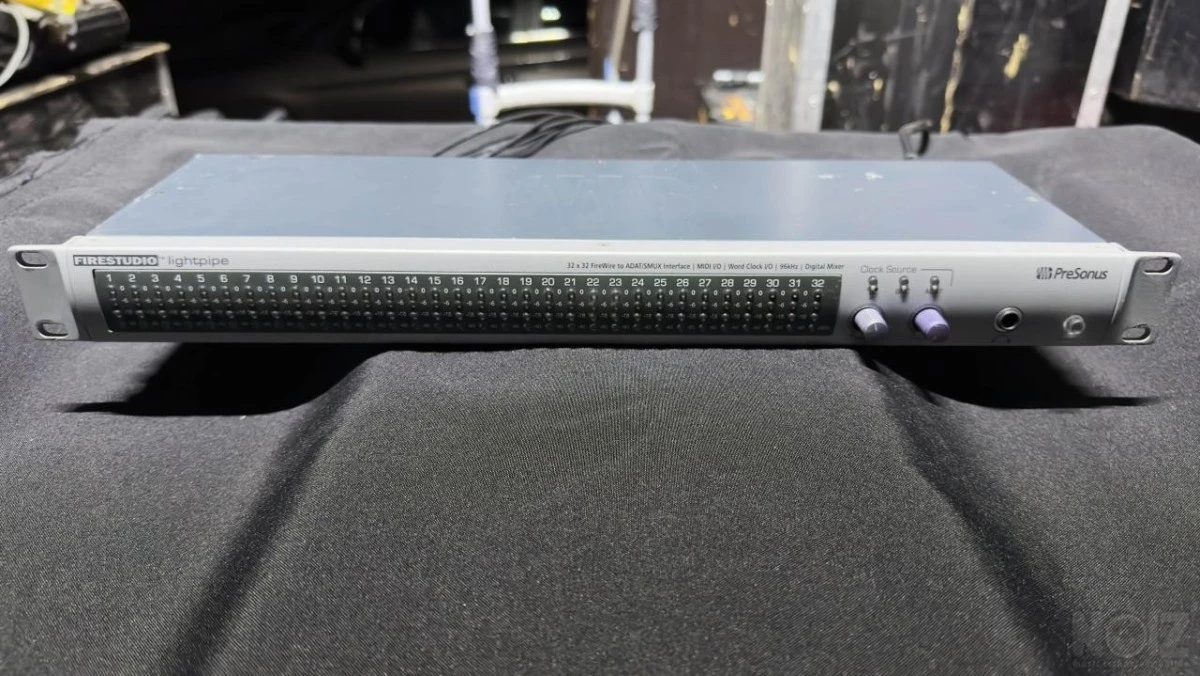
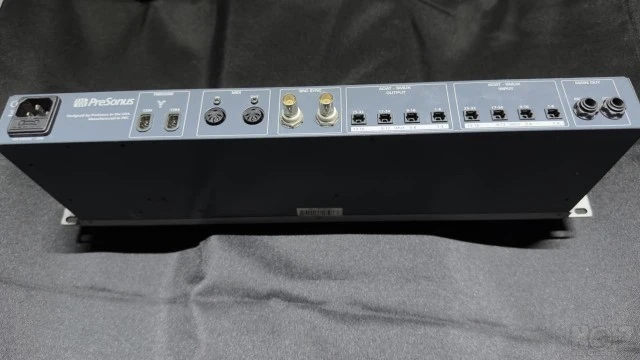
The PreSonus FireStudio Lightpipe is a 32 input, 32 output, 24-bit/96k lightpipe to FireWire computer recording system for professional-quality digital audio recording. Compatible with both Windows and Macintosh computer systems, the FireStudio Lightpipe allows you to convert up to 32 channels of ADAT or SMUX optical lightpipe input/output via FireWire providing a multi-channel computer interface for digital mixers, AD/DA converters or ADAT recorders. FireStudio Lightpipe features JetPLL™ jitter elimination technology for ultra tight synchronization and improved imaging and clarity along with a 34x4 DSP matrix mixer allowing you to create dual zero-latency stereo monitor mixes. Fast-acting input LED meters are located on the front panel for quick and easy visual monitoring of all signals. The FireStudio Lightpipe is the perfect interface for expanding and enhancing your music production!
The FireStudio Lightpipe is bundled with PreSonus Studio One Artist, our groundbreaking music creation program, and over 4 GB of virtual instruments, plug-ins, loops, and samples to get you started making music immediately
ΜΟΝΟ ΑΘΗΝΑ
ΧΕΡΙ ΜΕ ΧΕΡΙ
ΟΧΙ ΠΑΖΑΡΙΑ
Η ΤΙΜΗ ΕΙΝΑΙ ΤΕΛΙΚΗ ΧΩΡΙΣ ΦΠΑ
Need to record 32 inputs? Directly connect the FireStudio Lightpipe to a digital mixer via ADAT lightpipe to easily add recording to live performances. Or, add up to four DigiMax’s to the FireStudio Lightpipe for a 32-input recording system with 32 class A XMAX microphone preamplifiers all in five rack spaces!
The PreSonus FireStudio Lightpipe is a 32 input, 32 output, 24-bit/96k lightpipe to FireWire computer recording system for professional-quality digital audio recording. Compatible with both Windows and Macintosh computer systems, the FireStudio Lightpipe allows you to convert up to 32 channels of ADAT or SMUX optical lightpipe input/output via FireWire providing a multi-channel computer interface for digital mixers, AD/DA converters or ADAT recorders. FireStudio Lightpipe features JetPLL™ jitter elimination technology for ultra tight synchronization and improved imaging and clarity along with a 34x4 DSP matrix mixer allowing you to create dual zero-latency stereo monitor mixes. Fast-acting input LED meters are located on the front panel for quick and easy visual monitoring of all signals. The FireStudio Lightpipe is the perfect interface for expanding and enhancing your music production!
The FireStudio Lightpipe is bundled with PreSonus Studio One Artist, our groundbreaking music creation program, and over 4 GB of virtual instruments, plug-ins, loops, and samples to get you started making music immediately
Specs
Brand
PreSonus
Model
Firestudio Lightpipe
Reference Number
NOIZ591040
Accept exchange
No
Delivery
- My country
- Europe
- Worldwide
- Local pickup
Forum discussions?Below are mentions of this instrument in discussions on the noiz forum, which may tell you more about it.
-
(2) Audio Interfaces με (16) (8+8) mic preamps για ηχογράφηση Ντραμς!
…p://athensproaudio.gr/computer-audio-gr/kartes-ixou/firewire/presonus-firestudio-lightpipe-el.html και στις δύο περιπτώσεις το κόστος είναι περίπου 1500 ευρώ. Σκέψου το σαν πιθανή λύση.
-
PeSonus FireStudio Tube
Έχω ασχοληθεί αρκετά με την presonus, μιας και έχω 4 digimax FS, 1 firestudio lightpipe kai 1 firestudio 26x26. Έχω να σου πω μόνο καλά λόγια. Είναι αξιόπιστα, με πολύ καλές επιδόσεις και καλή κατασκευή. Με τους drivers …
-
PRESONUS FIRESTUDIO LIGHTPIPE ή M-audio PROFIRE LIGHTBRIDGE ?
Ότι λέει ο τίτλος. Έχω ήδη ένα digital μίξερ κ δέν χρειάζομαι μετετροπείς. Έωε τώρα χρησιμοποιούσα την MOTU 2408 Mk II με άριστα αποτελέσματα αλλά λέω να πάω στο φώς ;D Ποιά απο τις δύο κάρτες λοιπόν και γιατί κατα την γ…
-
Presonus AudioBox iTwo / STEINBERG UR-22-MKII
Όπως λέει και ο τίτλος, Presonus AudioBox iTwo ή STEINBERG UR-22-MKII Τις κοιτούσα για έναν laptop που έχω, να στήσω ένα portable studio. Τις έχει κάποιος; Και αν ναι, εντυπώσεις; Ευχαριστώ. thomann.de nakas.gr